Free Lawn Care Invoice Generator — No Signup, No Email, Just a Professional Invoice
We built a free invoice tool for lawn care and landscaping businesses. Fill in your details, download a PDF, and send it to your customer. No account required.
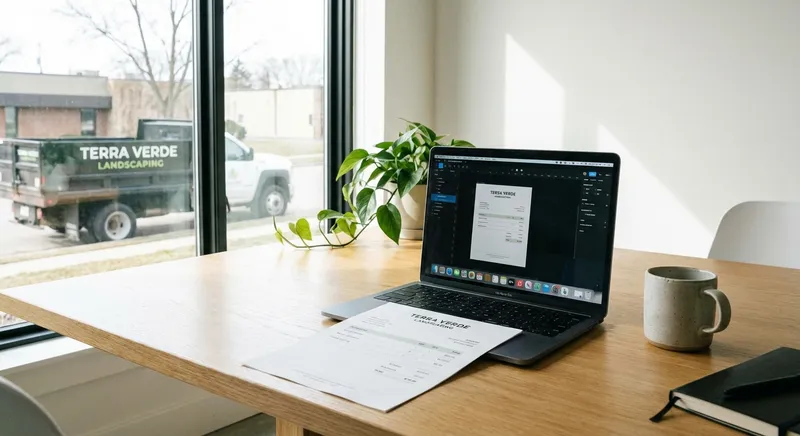
Table of Contents
We just launched a free tool that we think a lot of lawn care and landscaping businesses will use: a lawn care invoice builder that generates professional PDF invoices in about 60 seconds. No signup. No email required. No catch.
Here’s why we built it, what it does, and how to use it.
Why we built this
We talk to landscaping business owners every day. A surprising number of them — especially solo operators and small crews — are still invoicing with handwritten receipts, generic Word documents, or text messages that say “Hey, that’ll be $180 for today’s mow.”
It works. Until it doesn’t. Until a customer disputes a charge and you don’t have a record. Until tax season hits and you’re sorting through a shoebox of receipts. Until a property manager asks for a formal invoice and you spend 45 minutes figuring out how to make one look professional.
Professional invoicing shouldn’t require a $30/month software subscription. If you just need a clean invoice with your business name, services rendered, and a total — you should be able to make one in a minute and move on with your day.
So we built it.
What the tool does
The Invoice Builder
The lawn care invoice builder is a web-based tool that runs entirely in your browser.
How it works:
-
Enter your business info. Company name, address, phone, email. This populates the header of every invoice you create.
-
Enter the customer’s info. Name, billing address, and service address (if different — common for property managers or customers with rental properties).
-
Add line items. The tool comes pre-loaded with common lawn care services — mowing, edging, hedge trimming, fertilization, aeration, mulch installation — so you’re selecting and adjusting rather than typing from scratch. Add custom line items for anything not on the list.
-
Set quantities and prices. Each line item has a quantity and unit price. The tool calculates line totals and the invoice total automatically.
-
Add tax and payment terms. Set your tax rate (or leave it at zero if you don’t charge sales tax on services in your state). Choose payment terms: due on receipt, net 15, net 30.
-
Download as PDF. One click generates a clean, professional PDF that you can email, text, or print.
The whole process takes about a minute once you’ve done it once. Your business info saves locally in your browser, so you don’t re-enter it every time.
The Invoice Template
Prefer a fillable PDF you can save and reuse? We also have a downloadable lawn care invoice template — a pre-formatted PDF with editable fields. Download it once, fill it in with any PDF reader, and use it as many times as you want.
Best for: Landscapers who prefer working offline or want a template they can print and fill out by hand in the field.
What makes it different from other invoice tools
No account required. You don’t need to create a login, verify an email, or hand over any personal information. Open the page, build the invoice, download the PDF. Done.
No “upgrade to unlock” features. Everything works on the free version because there is no paid version. No watermarks, no limited line items, no “premium” features behind a paywall.
Built for lawn care and landscaping. The pre-loaded services, the separate billing and service address fields, and the layout are all designed for how landscaping businesses actually invoice. Generic invoice tools work, but they require you to build everything from scratch every time.
Works on your phone. The builder is fully responsive. You can create and send an invoice from your truck between jobs. No app download needed — it’s a web page.
Who this is for
Solo operators who need to send a professional invoice after a job without spending 20 minutes in a Word document.
Small crews that don’t yet need (or want to pay for) a full invoicing platform like Jobber or QuickBooks.
New businesses that want to look professional from day one without upfront software costs.
Anyone who needs a quick invoice for a one-off job, a property manager who requires formal documentation, or a customer who asked for an itemized receipt.
If you’re already running your invoicing through Jobber, QuickBooks, LMN, or another platform — you probably don’t need this. Keep using what works. But if you’re between systems, just starting out, or handling a one-off job that doesn’t fit your normal workflow, the tool is there whenever you need it.
What a professional invoice should include
While we’re on the topic — here’s what every lawn care invoice should have, whether you use our tool or any other:
Your business identity
- Business name (as registered — this matters for tax documentation)
- Address
- Phone number and email
- Business license or registration number (if required in your state)
Customer information
- Customer name
- Billing address
- Service address (if different from billing — especially important for property managers)
Invoice details
- Invoice number (sequential — INV-001, INV-002, etc. This is critical for bookkeeping and dispute resolution)
- Invoice date
- Due date or payment terms
Itemized services
Don’t just write “Landscaping services — $450.” Break it down:
| Service | Quantity | Unit price | Total |
|---|---|---|---|
| Weekly mowing | 4 visits | $55 | $220 |
| Edging (all hardscapes) | 4 visits | $15 | $60 |
| Hedge trimming | 1 visit | $120 | $120 |
| Mulch installation | 3 yards | $85 | $255 |
| Subtotal | $655 | ||
| Tax (7%) | $45.85 | ||
| Total | $700.85 |
Itemization does three things: it justifies your price (the customer sees what they’re paying for), it protects you in disputes (you can point to exactly what was delivered), and it helps with job costing (you can see which services are profitable and which aren’t).
Payment information
- Accepted payment methods (check, cash, Venmo, Zelle, credit card)
- Where to send payment or how to pay electronically
- Late payment policy (if applicable): “A 1.5% monthly fee applies to invoices overdue by 30+ days”
Tips for getting paid faster
Since we’re talking about invoices, here are the tactics that actually move the needle on collection speed:
Invoice the same day
Send the invoice the day the work is completed — not at the end of the week, not at the end of the month. The longer you wait, the longer you wait to get paid. Same-day invoicing also reinforces the connection between the service delivered and the payment due.
Include a payment link
If you accept digital payments (Venmo, Zelle, Square, Stripe), include the link or QR code directly on the invoice. Every step between “I should pay this” and “I paid this” is friction that delays payment. One click is better than “find your checkbook, write a check, find an envelope, find a stamp.”
Set “due on receipt” for residential customers
Net 30 terms make sense for commercial accounts. For residential customers, “due on receipt” is standard in landscaping and sets the expectation that payment happens when they get the invoice, not a month later.
Follow up on day 7
If an invoice isn’t paid within a week, send a friendly reminder: “Hi [Name], just a reminder that invoice #[number] for $[amount] is outstanding. Let me know if you have any questions — happy to help.” Most late payments aren’t intentional — people forget. A gentle nudge at day 7 solves 80% of late payments.
For a deeper dive on follow-up systems, see our post on using a CRM to stop losing leads — the same follow-up discipline that closes deals also collects payments.
Go build an invoice
The tool is live at gettinylawn.com/free-tools/lawn-care-invoice-builder.
No signup. No email. Just a clean, professional invoice for your lawn care or landscaping business — ready to download in 60 seconds.
If you find it useful, bookmark it. If you think another landscaper could use it, send them the link. That’s it. Go get paid.