Features

Answer every call, collect property details before estimates, and let customers book online—all from one system.

24/7 Answering Service

AI Phone Receptionist

Answers every call with a natural-sounding voice that handles customer questions, discusses your services and pricing, checks your calendar, and books appointments. Available 24/7, including nights, weekends, and holidays.

Answers Questions About Your Business.
When customers call asking "How much does lawn mowing cost?" or "Do you offer spring cleanup?" the AI responds with your specific pricing and services. You customize what it says about rates, service areas, and availability through your dashboard.
Books Appointments During the Call.
The AI checks your calendar in real-time and offers available slots. When the customer picks a time, the appointment gets added to your calendar immediately—no follow-up needed. Both you and the customer receive confirmation.
Records Every Conversation.
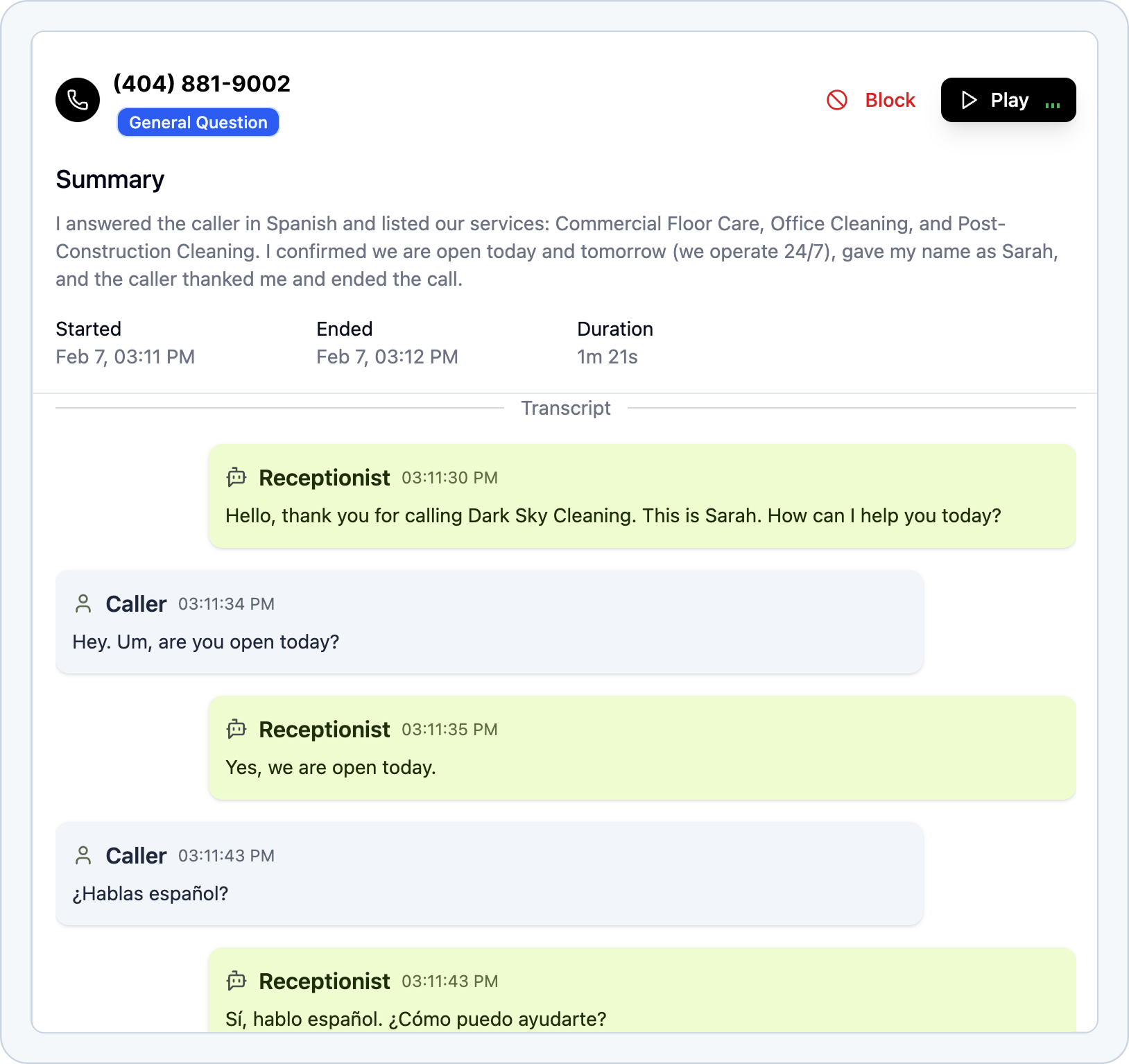
Every call is recorded with a full transcript and AI-generated summary. Review what customers asked for, check specific details they mentioned, or catch up on calls you missed while you were on a job site.
Tinylawn call transcript screenshot showing an AI receptionist conversation

Lead Qualification

Virtual Site Visits

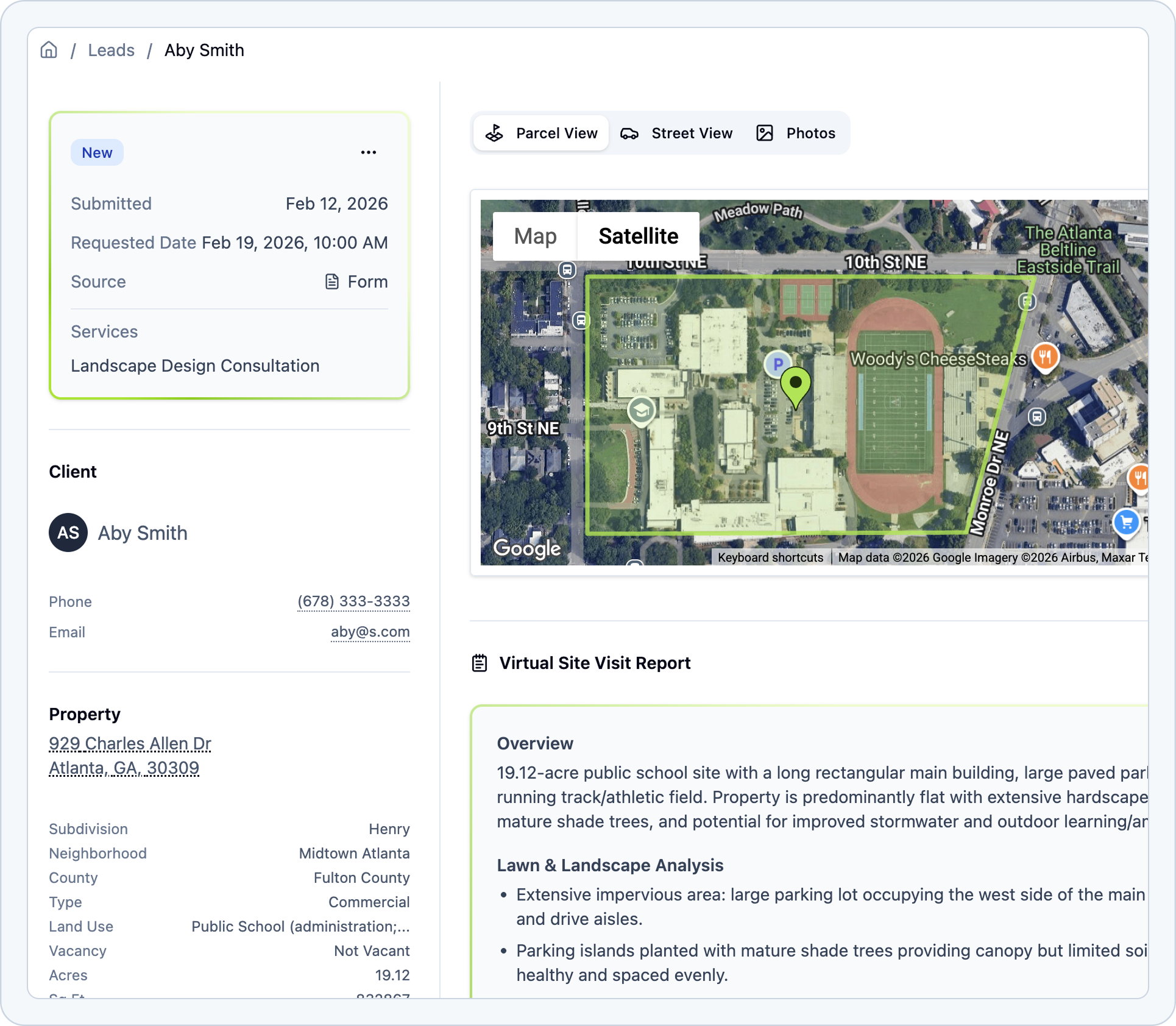
Collect property details and photos before you schedule an estimate. The system gathers customer photos, retrieves property data like lot size and boundaries, and uses AI to assess lawn conditions—so you know what you're walking into.

Collects Property Photos via Text.
After a call, the AI sends a text asking the customer to share photos of their property. They simply text back pictures of their lawn, backyard, or problem areas. All photos are automatically attached to the lead in your dashboard.
Pulls Property Data Automatically.
For every address entered, Tinylawn retrieves property boundaries, lot size, square footage, and property type. This data appears in your lead profile so you know what you're dealing with before you arrive.
AI Analyzes Property Conditions.
The AI reviews submitted photos to identify grass type, tree coverage, slope conditions, and visible issues like weeds or bare spots. These observations are added to the lead notes so you can quote more accurately.
Calculates Drive Time from Your Location.
See exactly how far each property is from your business address and estimated drive time. Useful for deciding whether a job fits your service area or scheduling multiple visits efficiently.
Tinylawn virtual site visit report screenshot with property size and aerial imagery

Multi-Channel Lead Capture

Online Booking

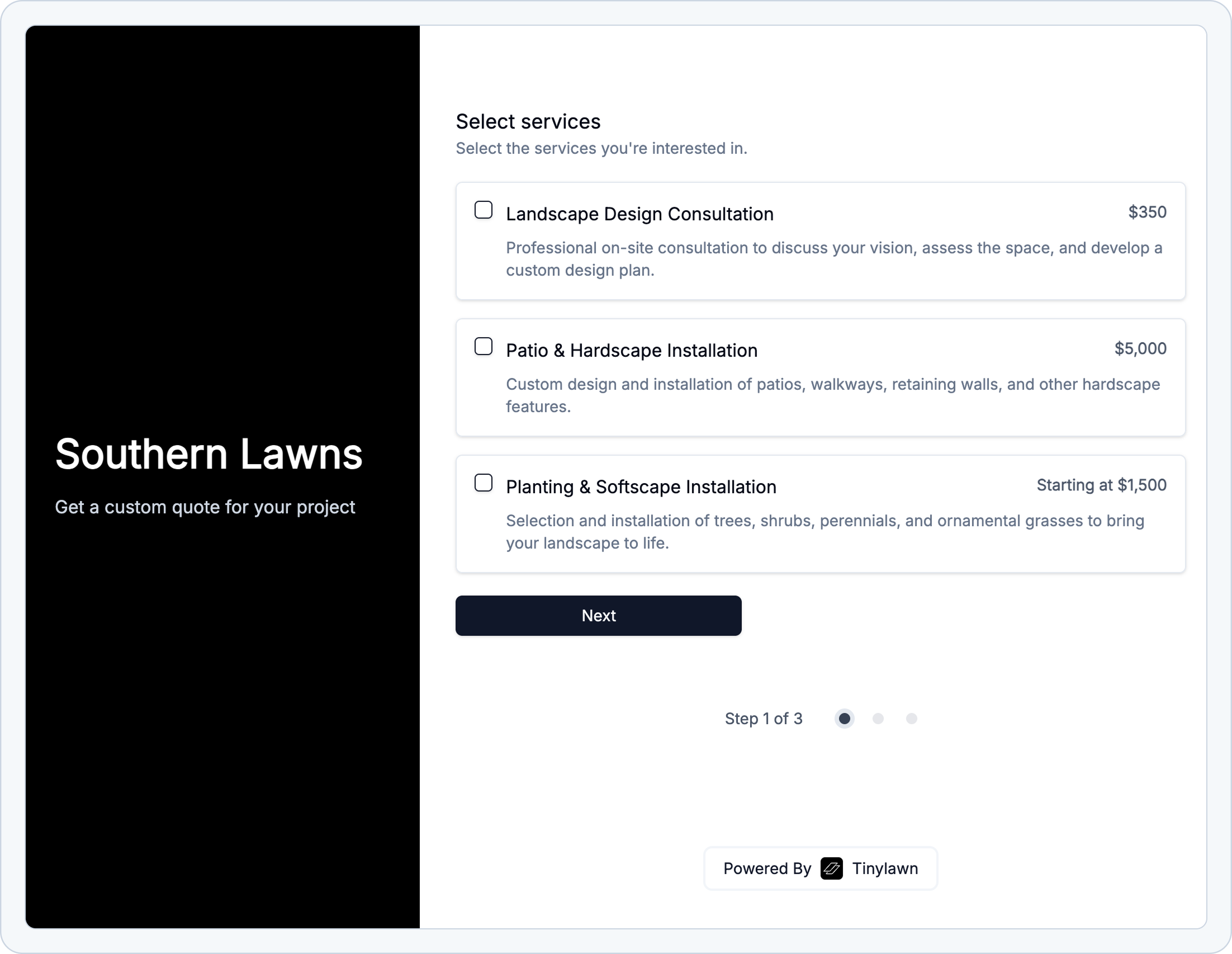
Give customers an easy way to request service online with your own branded booking page. Share it anywhere—your website, social media, or printed materials—and new leads flow directly into your dashboard.

Your Own Booking Page.
Get a custom short URL like tnyln.co/yourcompany that leads to a branded booking page with your logo, services, and contact info. Customers fill out the form to request service or schedule an appointment.
Shareable via Link or QR Code.
Share your booking page URL in Google Business Profile, Facebook, Instagram, or text messages. You can also generate a QR code to print on door hangers, business cards, or vehicle wraps for easy mobile access.
Connects to Your Lead Workflow.
Form submissions flow directly into your dashboard alongside phone leads. You get instant email and SMS notifications, and the AI can follow up to request property photos or confirm appointment details—just like with phone calls.
Tinylawn booking form screenshot for scheduling lawn care service

Other Features

Everything else you need.

Call recordings, spam filtering, bilingual support, integrations, and more—all included in your subscription.

Call Recordings, Summaries, and Transcripts
Every call is recorded with a word-for-word transcript and AI summary. See exactly what the customer asked for, whether they mentioned specific concerns, or if they called about a property you already quoted.
Answers Common Questions
Teach the AI to answer questions like "What's your hourly rate?" or "Do you do fall cleanups?" through your dashboard. The AI references your answers during calls so customers get accurate information.
Transfers Complex Calls to You
For urgent issues, angry customers, or technical questions the AI can't handle, it transfers to your phone. You see the full conversation before picking up so you have context. (coming soon)
Blocks Spam Calls
The AI detects and filters out robocalls, telemarketers, and spam. Blocked calls appear in your dashboard but won't trigger notifications or waste your time.
Speaks English and Spanish
The AI automatically detects whether the caller speaks English or Spanish and responds in their language.
Sends You Instant Alerts
Get text and email notifications when you receive a new lead or someone books an appointment. You can customize which events trigger alerts.
Customize What the AI Says
Edit how the AI answers questions about your pricing, services, and availability. Change the greeting, update your service area, or adjust responses anytime through the dashboard.
Follow-Up Text Messages
After calls, the AI automatically sends follow-up texts to request property photos or confirm address details.
Connects with Other Tools via Zapier
Send new leads to your CRM, add appointments to Google Calendar, or create invoices in QuickBooks. Use Zapier to connect Tinylawn with thousands of business apps.
Works on Mobile and Desktop
Access your dashboard from your phone while on a job site or from your computer at the office. Listen to call recordings, review lead details, and update settings from anywhere.
Keyboard Shortcuts
Power users can navigate the dashboard quickly with intuitive keyboard shortcuts. Review calls, update settings, and manage leads without touching your mouse.
Responsive Support
Get help with setup, troubleshooting, or anything else with our responsive support team.