How to Answer Your Business Phone While on a Job Site
You cannot physically answer the phone while working. Here are the practical solutions field service business owners use to stop losing calls to voicemail.
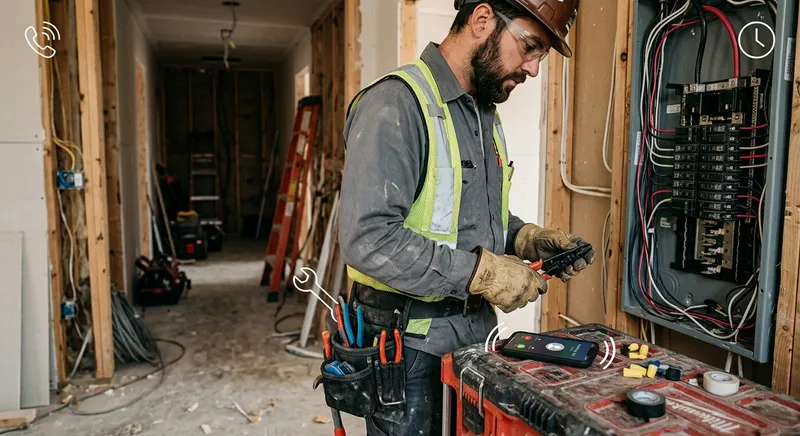
Table of Contents
You’re on a roof. Or under a sink. Or 20 feet up a ladder. Or operating a machine that will take your fingers off if you look away.
Your phone rings. You can’t answer it. Not safely, not practically, not without stopping work that’s making you money.
The caller doesn’t leave a voicemail. They call the next business on Google. You never know they called.
This happens to every field service business owner — landscapers, electricians, plumbers, roofers, painters, HVAC techs, pest control operators, concrete contractors, pool service companies, and every other trade where the work requires your hands, your attention, or both.
The phone problem isn’t a mystery. You know you’re missing calls. The question is what to actually do about it — today, with whatever budget and time you have right now.
Here are your options, from simplest to most comprehensive.
Option 1: Set up a professional voicemail and call back fast (free)
If you’re doing nothing else, do this. A professional voicemail greeting is the bare minimum, and it’s free.
What to set up today
Record a voicemail greeting that does three things:
- Confirms they reached the right business. “You’ve reached [Company Name].”
- Sets an expectation. “We’re currently on a job site and can’t take your call right now.”
- Tells them what to do. “Please leave your name, number, and a brief description of what you need, and we’ll call you back within 2 hours.”
The “within 2 hours” part matters. A specific timeframe gives callers a reason to leave a message instead of hanging up. “We’ll call you back as soon as possible” is vague and unconvincing.
Then: batch your callbacks
Check your phone at set intervals — mid-morning, lunch, and end of day. Return every call within the timeframe you promised. Consistency builds trust.
The reality check
Even with a great voicemail, roughly 80% of callers don’t leave a message. They hang up and call the next company. This means voicemail captures maybe 20% of missed leads. It’s better than nothing, but it’s not a solution — it’s a safety net with a big hole in it.
Best for: Solo operators just starting out who can’t invest in anything yet. Treat this as temporary while you build toward a better system.
Cost: $0
Option 2: Forward calls to someone you trust ($0-$15/hour)
If you have a spouse, family member, or friend who’s available during business hours, forwarding your business line to their phone is the simplest upgrade from voicemail.
What to set up today
- Set up call forwarding on your business line. On most cell phones: Settings → Phone → Call Forwarding. On Google Voice or a VoIP service: configure forwarding rules in the dashboard.
- Write a one-page cheat sheet for the person answering: your company name, your services, your service area, your general pricing ranges, and how to take a message (name, phone, address, what they need, when they need it).
- Set hours. Don’t expect someone to answer your phone 12 hours a day. Define the window — maybe 8 AM to 3 PM — and let voicemail handle the rest.
The reality check
This works short-term but has real limits:
- The person answering probably doesn’t know your trade. “I don’t know, I’ll have him call you back” gets old fast for callers.
- They have their own life. Vacations, sick days, errands — coverage gaps are inevitable.
- If they’re doing this as a favor, the quality and consistency will degrade over time. If they’re being paid, you’re heading toward the cost of a part-time hire anyway.
Best for: Businesses in a transitional phase — growing past what one person can handle but not yet ready to hire or subscribe to a service.
Cost: $0 (favor) to $12-$18/hour (paid)
Option 3: Use Google Voice or a second business line ($0-$20/month)
A separate business number with its own voicemail gives you more control than using your personal cell. Google Voice (free for personal use, $10/month for business) lets you set up a dedicated business number, custom voicemail, text messaging, and basic call routing.
What to set up today
- Get a Google Voice number (voice.google.com) or a similar service (Grasshopper, OpenPhone, Line2).
- Set business hours — calls during business hours ring your phone; calls after hours go to voicemail with a different greeting.
- Enable text-back — some services let you auto-text callers who reach voicemail: “Thanks for calling [Company]. We’re on a job site right now. Can we call you back within 2 hours?”
The auto-text feature is underrated. It’s simple, but it tells the caller their call was received and sets a callback expectation — which reduces the chance they immediately call your competitor.
The reality check
A second number helps you separate business from personal calls and gives you better voicemail controls. But it doesn’t solve the core problem: you still can’t answer while working. Callers still hit voicemail. You still lose most of the people who don’t leave a message.
Best for: Any business owner who’s still using their personal cell for business calls. The separation alone is worth it. Layer additional solutions on top.
Cost: $0-$20/month
Option 4: Hire a part-time office person ($1,200-$2,000/month)
When call volume justifies it, putting a person on the phone is the most natural solution. A part-time hire (15-25 hours/week) can answer calls, take messages, schedule estimates, and handle basic admin.
What to set up
- Define the role beyond phone answering. If they’re only answering 10-15 calls per day, what are they doing the other 4-5 hours? Invoicing, scheduling, social media, customer follow-ups — make the role economically viable.
- Write a call script covering your top 10 most common questions: pricing ranges, service area, scheduling availability, what you do and don’t offer.
- Set their hours to cover your busiest call windows. For most field service businesses, that’s 8 AM to 2 PM.
The reality check
A good office person is transformative. They answer the phone, build relationships with callers, handle complexity that no automated system can, and free you to focus entirely on the work.
But the math needs to work:
- Part-time at $16-$20/hour × 20 hours/week = $1,280-$1,600/month before payroll taxes
- Add payroll taxes and workers’ comp: $1,500-$2,000/month total
- No coverage evenings, weekends, or when they’re sick/on vacation
- Training time: 2-4 weeks before they’re fully effective
- Turnover: if they leave, you’re back to square one
For this to pay off, you generally need to be generating $300K+/year in revenue with consistent call volume (10+ calls/day).
Best for: Established businesses with enough call volume and admin work to keep someone busy 20+ hours/week.
Cost: $1,200-$2,000/month
Option 5: Use a traditional answering service ($100-$500/month)
Answering services employ human operators who answer your calls using a script. They take a message — name, number, what they need — and send it to you via text or email.
What to set up
- Sign up with a service (Ruby, AnswerConnect, PATLive, Nexa, MAP Communications are common options).
- Write a greeting script and message-taking instructions.
- Set up call forwarding so calls route to the service when you can’t answer.
The reality check
Answering services guarantee a human voice on every call, which some callers prefer. But the operators are generalists handling calls for dozens of businesses. They follow a script, take a message, and send it to you. They can’t answer questions about your services, quote pricing, or book appointments.
The cost model is typically per-minute ($1.00-$2.50/minute), which means your bill scales with call volume. During peak season, when a 3-minute call costs $3-$7.50, monthly costs can spike to $500-$1,000+ for a busy field service company.
Best for: Businesses that specifically need a human voice and are OK with message-taking only. Works well as after-hours overflow when your office person goes home.
Cost: $100-$500+/month (per-minute billing)
Option 6: Use an AI receptionist ($49-$300/month)
AI receptionists answer calls with a natural-sounding voice, have full conversations, gather detailed information, answer common questions from your FAQ database, and send you a complete lead record — often with a recording, transcript, and summary.
What to set up
- Sign up with a provider. Options include Tinylawn (built for field service businesses like landscaping, pest control, and pool service — $49/month), Smith.ai (multi-industry — free AI plan for 25 calls, Pro from $150/month), and Rosie (general small business — $49/month for 250 minutes).
- Configure your services, business hours, and FAQs. Most platforms take 10-20 minutes to set up. The FAQs are key — these are the answers the AI gives when callers ask about pricing, availability, or what you offer.
- Forward your calls when you can’t answer. Some businesses forward all calls; others only forward when they don’t pick up within 3-4 rings.
What makes this different from an answering service
The AI doesn’t just take a message. It has a conversation:
- Asks what the caller needs and captures details
- Answers common questions from your configured FAQs (“How much does a spring cleanup cost?” → “Typically $200-$400 depending on property size”)
- Captures the caller’s address and validates it
- Some platforms send callers a link to upload photos after the call
- Some pull property data (lot size, satellite imagery) to help you quote
The result is a lead record with significantly more detail than a traditional answering service message. Instead of “John called about landscaping,” you get: “John Smith, 123 Oak St, needs spring cleanup (front and back), yard hasn’t been maintained since last fall, wants service within the next two weeks, concerned about price, asked if you include edging.”
The reality check
AI receptionists handle 90-95% of calls well. The remaining 5-10% — very unusual requests, heavily accented callers, complex complaints — get flagged for your follow-up with a full recording. This is comparable to the edge cases a human answering service would also struggle with.
The flat monthly pricing (most plans are $49-$150/month with a set number of calls) is more predictable than per-minute billing, especially during peak season when call volume spikes.
Best for: Field service businesses of any size that want full-time phone coverage without full-time cost. Particularly strong for businesses with seasonal call surges.
Cost: $49-$300/month (flat pricing with included calls)
The decision shortcut
If you’re reading this on your phone during lunch between jobs, here’s the quick version:
| Your situation | Do this today |
|---|---|
| Just starting out, minimal calls | Record a professional voicemail with a callback timeframe |
| Getting 5-10 calls/day, can’t keep up | Sign up for an AI receptionist ($49-$79/month) |
| Getting 10+ calls/day, have admin work piling up | Hire part-time office staff + AI for after-hours |
| Need a human voice, budget allows | Traditional answering service ($100-$500/month) |
| Already have office staff but miss after-hours calls | Add AI receptionist for evenings/weekends |
Every option above is better than letting calls go to voicemail and hoping people leave messages. They mostly don’t. And every call that goes unanswered is revenue that goes to whoever answers next.
The math that makes the decision obvious
Whatever you spend on phone coverage, measure it against what a missed call costs:
- Average first job value for most field service businesses: $200-$500
- Percentage of missed callers who call a competitor: 70-80%
- Close rate on answered calls: 40-60%
If you miss 5 calls per week and 3 of those would have booked at $300 average, that’s $900/week in lost revenue — or roughly $3,600/month.
Against that, even the most expensive option on this list ($2,000/month for a part-time hire) generates a positive return if it captures just 7 of those missed calls per month.
The phone isn’t a distraction from your work. It’s the thing that keeps work coming in. Solve it once, and the revenue math takes care of itself.