How Property Data Enrichment Changes What an Estimator Sees Before the Site Visit
A walkthrough of what shows up on a landscaping lead record when property data, satellite imagery, and customer-uploaded photos are attached automatically — and how it actually changes the estimating workflow.
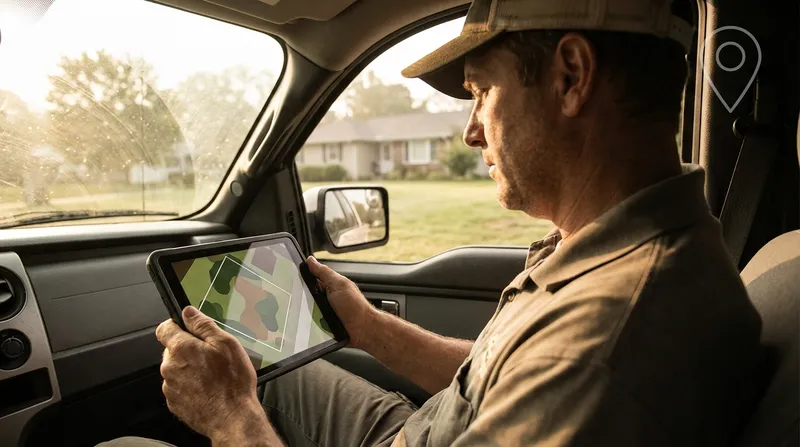
Table of Contents
The traditional landscaping estimate workflow looks like this. The phone rings. The office captures a name, an address, and a vague description of “the backyard needs some work.” The estimator drives 25 minutes across town, walks the property for 30 minutes, drives 25 minutes back, then sits down at a desk to actually figure out what the job costs. Roughly 90 minutes of windshield time and walking to produce one number.
The estimator can do this maybe four times a day in peak season. After that, route density collapses and proposals start sliding two days behind the site visit.
Property data enrichment changes the math on that first 25-minute drive. Specifically: by the time the estimator opens the lead record, they already have lot size, a satellite image with the parcel boundary drawn, customer-uploaded photos of the actual problem areas, and an auto-generated property summary. They can pre-qualify, pre-scope, and in some cases pre-quote before they ever turn the key.
This post walks through what the lead record actually shows, what it changes about the estimating workflow, and where it still does not replace boots on the ground.
What gets attached to a lead automatically
The Tinylawn lead record, after a typical inbound call, ends up with six layers of property context attached to it without anyone on the office side typing anything in.
1. Parcel data
Pulled from public property records the moment the address is captured:
- Lot size in acres or square feet
- Property type (single-family, townhome, condo, commercial, etc.)
- Year built of the primary structure
- Approximate building square footage in many markets
For a landscaping estimator, lot size is the most useful single piece of pre-visit data. A 0.18-acre suburban lot and a 1.4-acre semi-rural lot are not the same job. They are not even the same category of job. Knowing this before you assign the site visit lets you allocate appropriate time and put the right estimator on it — a senior estimator for the 1.4-acre property where there is likely meaningful design work, a junior estimator for the standard suburban lot.
2. Satellite imagery with parcel boundary
A high-resolution satellite image of the property, centered on the parcel, with the lot boundary line drawn over it. This is the piece that experienced estimators tend to look at first.
What you can see from the satellite:
- Approximate turf area vs. bed area vs. hardscape, which lets you ballpark a maintenance quote before the visit
- Tree canopy coverage, including trees near or over the work area
- Existing hardscape elements — driveways, patios, walkways, pools
- Adjacent properties and what their landscapes look like (often a useful “house standard” tell)
- Roof complexity and footprint for related quoting like gutter work or pressure washing
What you cannot see from the satellite:
- Slope, grade, or drainage
- Plant species or health
- Anything under tree canopy
- Anything that has changed in the last 12 to 24 months since the imagery was captured
The satellite image is not a replacement for the site visit. It is a planning tool that lets you walk in with a hypothesis instead of walking in blind.
3. Driving distance and travel time
Distance and drive time from your primary business location to the property. The number is more useful than people initially think — it lets you do real route math before you confirm the visit, and it surfaces the leads that are 45 minutes outside your normal service area before the estimator has already committed the morning.
For multi-crew operations, the driving distance lets you allocate properties to the closest crew without manually checking maps.
4. Customer-uploaded photos
After the call ends, the AI sends the homeowner a text message link to upload photos of the problem areas. Most customers send something — typically two to four pictures of the parts of the property they want addressed.
For a residential landscape estimate, those four photos are usually worth more than the satellite image. The satellite tells you what is there. The photos tell you what the customer is actually looking at when they say “the side yard is a mess.” Sometimes the photos show a job you cannot do (a retaining wall about to fail, a tree leaning over the neighbor’s house) that you can flag and route to a specialist before driving out.
5. AI site inspection summary
A short auto-generated summary combining the call transcript, parcel data, satellite imagery, and customer photos. For a typical residential landscape inquiry, this reads something like:
Quarter-acre single-family lot built 1987. Roughly 4,200 sq ft of turf split between front (3,000 sq ft, full sun) and back (1,200 sq ft, partial shade from mature maple on neighbor property line). Existing bed lines visible along front foundation and along back fence; bed condition cannot be assessed from imagery. Customer photos show three areas of concern: bare patches in front turf, overgrown shrubs along front walkway, and standing water in back along east downspout. Customer mentioned a child’s birthday party in late May during call. Suggested scope: turf renovation (front), shrub pruning or replacement (front), downspout drainage solution (back).
This is not a finished proposal. It is a five-second briefing that orients the estimator before the site visit. The single biggest workflow shift it enables is “the estimator walks in already knowing the three things to look at” instead of “the estimator walks in cold and figures it out while standing in the driveway.”
6. Call transcript and recording
The full audio of the original call and a written transcript. The transcript is searchable, which is useful for a few specific things:
- Pulling out the customer’s exact words about budget, timing, and decision-makers
- Confirming what services the customer actually asked about (vs. what got summarized)
- Reviewing how the AI handled the call if you want to tune the intake script
- Documenting the conversation for warranty and dispute purposes
Most estimators do not listen to recordings. They skim the transcript before the visit, which takes 60 to 90 seconds. The recording is there if they need it.
What this changes about the estimating workflow
The before-and-after is not subtle.
Before
- Lead comes in. Address and “wants landscaping” captured.
- Estimator drives to property cold.
- Estimator walks property for 30 to 45 minutes, takes notes and measurements.
- Estimator drives back.
- Estimator sits down at a desk to write the proposal, often the next day.
- Proposal goes out 2 to 4 days after the site visit.
Total time: roughly 4 to 6 hours of estimator time per closed lead, including drive time and proposal writing.
After
- Lead comes in with full enrichment package attached.
- Estimator skims the lead record (3 to 5 minutes) and forms a working hypothesis.
- Estimator drives to property with a focused scope to confirm.
- Estimator walks property for 20 to 25 minutes, focused on the things the photos and summary could not show (slope, drainage, soil, plant health, hidden utilities).
- Estimator drives back.
- Estimator writes the proposal using a template already partially filled in from the lead record.
- Proposal goes out within 24 hours, often same-day.
Total time: roughly 2.5 to 4 hours of estimator time per closed lead, with materially faster proposal turnaround.
The reason this matters: faster proposals have higher close rates. A 24-hour proposal turnaround closes at 35 to 45 percent. A 3-day turnaround closes at 22 to 28 percent. The estimator who can run six site visits a day and turn proposals around same-day will close more business than the one running four site visits and turning proposals in three days, even if the second estimator is technically a better designer.
Where the enrichment data does not replace the site visit
This is the honest part. The lead record does not let you skip the site visit. It does not even let you confidently quote without one for most jobs.
What it cannot tell you:
- Slope and drainage. The satellite image is top-down. You cannot see grade. You have to be on the property.
- Soil quality. No imagery shows you what is under the turf. You need a probe in the ground.
- Existing irrigation. You can sometimes see heads on a high-resolution image. You cannot see whether the system works.
- Plant species and health. Especially for design-build jobs, you need to identify what is there and assess condition.
- Hidden utilities. Low-voltage lighting, dog fences, sprinkler lines — none of these show up in property data.
- Homeowner dynamics. The decision-maker, the budget reality, the “what do they actually expect” judgment. You have to be in the room.
The enrichment data shortens the site visit and makes it more focused. It does not eliminate it.
The one exception is simple recurring maintenance: lawn-only mowing contracts, basic hedge trimming routes, simple lawn care programs. For these, lot size plus a satellite measurement of turf area is often enough to issue a flat-rate quote without a site visit — which is how most lawn-only operators now run their intake. The enrichment data makes this workflow more reliable than estimating from address-only because you have visual confirmation of what you are quoting.
A concrete example
A real-world inbound call from last Saturday morning, anonymized for a typical residential landscaping operation:
Caller: “Hi, I’m calling about getting some landscaping work done. Our front yard needs some help and the back has a drainage issue that’s getting worse.” AI: “Got it, can I get the address so I can pull up your property?”
Within 90 seconds, the AI has captured:
- Service type: landscape installation + drainage
- Address: pulls 0.27-acre suburban lot, single-family, built 2003
- Satellite imagery showing front foundation beds, back yard with a slight grade to the east
- Driving distance: 18 minutes from the shop
By the end of the call, the customer has been asked the standard intake questions — timeline, budget signal, when she’s available for a site visit — and has been texted a link to upload photos. Within an hour, the customer has uploaded six photos: the front of the house, three close-ups of dying shrubs, and two pictures of the back yard showing visibly soggy ground near a downspout.
The AI site inspection summary that the estimator sees Monday morning:
0.27-acre residential lot. Front foundation bed roughly 8x40 ft based on imagery, currently planted with what appear to be declining boxwoods (photos show significant browning). Back yard shows clear drainage pattern with low point at east boundary near downspout; standing water visible in customer photos. Customer mentioned wanting “to be done before the Fourth of July” during call. Suggested scope: front bed renovation (likely shrub replacement + soil amendment), drainage solution at east downspout (likely French drain or pop-up emitter).
The estimator schedules the site visit for Tuesday afternoon, blocks 25 minutes on the property, and arrives knowing exactly what to look at:
- Confirm the boxwood condition and decide replace vs. renovate
- Measure the front bed precisely
- Walk the back yard’s grade and identify drainage exit point
- Probe soil at both work areas
On site, the estimator confirms the hypothesis in 25 minutes, takes detailed measurements where needed, sketches the drainage solution on the spot, and is back in the truck by 3:15 PM. The proposal goes out by 5 PM the same day. The homeowner accepts Wednesday morning.
Total time from initial call to signed proposal: under 48 hours. The same workflow without the enrichment data — cold call, address-only lead, estimator walking in blind — would have been 4 to 6 days.
What this is and is not
The enrichment package is not a replacement for an experienced estimator. The summary is a five-second briefing, not a quote. The satellite image is a planning tool, not a measurement tool. The customer photos are useful context, not a substitute for boots on the ground.
What the enrichment package does is shift the estimator’s day from “react to whatever the next inbound is” to “walk into every site visit with a hypothesis already formed.” That shift compounds across a season. The estimator who walks in with a hypothesis runs faster, scopes more accurately, and turns proposals around in hours instead of days.
For most residential landscaping operations, the bottleneck on revenue growth is not lead volume — it is proposal turnaround on the leads already coming in. The quote-to-job lag math is brutal: every additional day between site visit and proposal sent costs roughly 10 to 15 percentage points of close rate. Enrichment data is one of the few workflow changes that meaningfully compresses that lag without requiring the owner to work nights or hire another estimator.
If you want a closer look at how the full intake flow handles a real estimate call from “phone rings” to “lead record ready,” there is a separate walkthrough on how Tinylawn handles a landscaping estimate call. Otherwise the practical takeaway is the same: the part of the estimating process that is repetitive (basic intake, address lookup, parcel data, photo collection) should be done before the estimator drives anywhere, and the part that requires judgment (the actual site walk) should be the only thing happening on the property.