What Tinylawn's AI Receptionist Sounds Like When a Property Manager Calls About a Broken Irrigation System
A step-by-step walkthrough of how Tinylawn's AI receptionist handles a call from a commercial property manager reporting a broken irrigation zone — from greeting to lead capture.
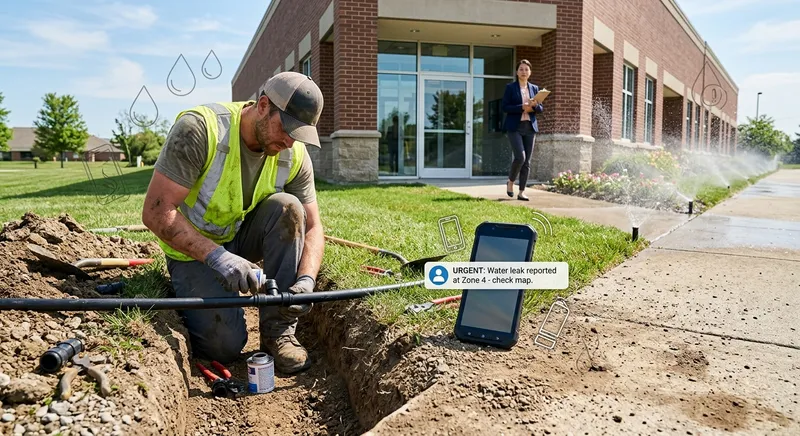
Table of Contents
It’s a Tuesday morning in July. You’re running a 4-person crew on a commercial irrigation install — 3 acres of mixed-use development, 12 zones, and a controller that needs to be online before the landscape contractor starts planting on Thursday. You’ve been in a trench since 7 AM. Your phone is in the truck.
Three miles away, a commercial property manager named Karen is walking the grounds of a 200-unit apartment complex your company services. She’s looking at Zone 4 — the strip along the main entrance. Three rotor heads are gushing water at full pressure, flooding the sidewalk and pooling in the parking lot. Residents are walking through puddles to get to their cars. It’s been like this since the system ran overnight.
Karen pulls up the property’s vendor list on her phone and calls your number.
The call
Karen dials your business line. You’ve configured call forwarding to route to Tinylawn when you can’t answer, so after a few rings, the AI receptionist picks up.
What Karen hears:
“Hi, thanks for calling [Your Company Name]. This is Alex. How can I help you today?”
No phone tree. No “press 1 for service, press 2 for billing.” Karen starts talking immediately.
Karen explains the problem
Karen is direct — property managers usually are. She says something like:
“Hi, I manage Ridgewood Apartments on Maplewood Drive. We have your company on contract for irrigation maintenance. There’s a zone on the front entrance that’s blowing water everywhere — it looks like multiple heads are broken. There’s water all over the sidewalk and the parking lot. I need someone out here today if possible.”
The AI doesn’t just say “let me take a message.” It engages with what Karen is describing. Based on the FAQs you’ve configured in your dashboard, it can handle questions like:
- “Do you handle emergency repairs?” — If you’ve added this to your FAQs, the AI gives your answer.
- “What’s your response time for commercial accounts?” — Same — it provides whatever you’ve configured.
- “Is this covered under our maintenance contract?” — The AI can share your FAQ response about contract coverage, or let Karen know someone will call back with specifics.
The AI recognizes this as a quote request — Karen is describing a specific issue at a specific property and wants someone to come out. It shifts into information-gathering mode.
Information capture
The AI collects the details you’ll need to prioritize and respond:
- Name: Karen Walsh
- Phone number: Confirmed from caller ID
- Property address: 4850 Maplewood Drive — Ridgewood Apartments
- Issue: Multiple broken rotor heads on the front entrance irrigation zone (Zone 4). Water flooding the sidewalk and parking lot. System ran overnight and the damage was discovered this morning.
- Urgency: Wants same-day service. This is visible to residents and creating a safety concern (wet walkways).
- Relationship: Existing commercial maintenance client
- How she’d like to proceed: Needs someone on-site today to assess and repair
The conversation takes about 3 minutes. Karen isn’t filling out a web form or navigating a phone tree — she’s talking to what sounds like a receptionist who asks focused follow-up questions and confirms the details back.
Address validation and photo request
After the call ends, two things happen automatically.
Address validation. Tinylawn checks the address Karen provided against its database. “4850 Maplewood Drive” is validated. If Karen had said “Ridgewood on Maplewood” without the house number, the system would send her a text to confirm the exact address. For commercial irrigation work — where a property management company might oversee multiple complexes — having the precise address prevents your crew from driving to the wrong site.
Photo upload link. Tinylawn sends Karen an SMS with a link to upload photos. This is where things get useful for irrigation work specifically.
Karen walks back to the entrance, takes four photos:
- The three broken rotor heads spraying uncontrollably
- Water pooling across the sidewalk and into the parking lot
- A wider shot showing the zone location relative to the building entrance
- A close-up of one head that looks like it was clipped by a landscaping mower — the nozzle housing is cracked
That fourth photo tells you something the phone call didn’t: this isn’t wear and tear. A mower ran over the heads. That changes your repair approach — you might need to adjust head heights or add protective donuts — and it might affect whether the repair is billable to the landscape maintenance company rather than covered under the irrigation contract.
All four photos attach directly to Karen’s lead record in your dashboard.
What you see when you check your phone
You take a break at 10:30 AM, walk to the truck, and check your phone. Tinylawn has sent you a notification:
New lead — Quote Request
- Karen Walsh, 4850 Maplewood Drive
- Ridgewood Apartments — existing maintenance client
- Multiple broken rotor heads, Zone 4, front entrance
- Water flooding sidewalk and parking lot — safety concern
- Requesting same-day service
You open the lead in your dashboard and see:
- Full call transcript and recording. You can read or listen to exactly what Karen described. No secondhand summary from a message pad.
- Karen’s photos. The broken heads, the flooding, the mower damage. You already know what parts to bring.
- Property data. Tinylawn has pulled lot size, building footprint, and a satellite image of the property. You can see the irrigation zone layout relative to the buildings and parking areas.
- AI-generated summary. A concise recap of the call — the issue, the urgency, and what Karen expects.
You already know this property. You can see from the photos that you need 3 replacement rotor heads (probably Hunter PGP Ultras based on what’s installed), and you have them on the truck. You call Karen back at 10:35 AM — 2 hours after her call, but with full context. You tell her you can be there by 1 PM.
Karen’s relieved. She’s already had two residents complain about the wet sidewalk, and she was dreading the idea of calling your voicemail back in an hour.
What this looks like without Tinylawn
Let’s rewind and imagine the same scenario without the AI receptionist.
Karen calls at 8:30 AM. You’re in a trench. The phone goes to voicemail.
Karen leaves a message: “Hi, this is Karen at Ridgewood Apartments. We have a broken sprinkler situation on the front entrance. Can you call me back? Thanks.”
That’s it. No address (she assumed you’d know). No details about which zone. No photos. No sense of urgency beyond “can you call me back.”
You listen to the voicemail at 11:45 AM during lunch. You call Karen. She’s in a meeting — property managers are always in meetings. She calls you back at 2:15 PM while you’re back on the install. You miss it. You try her again at 4:30. She picks up. Now you get the details — but you’ve lost the whole day, and you can’t get there until tomorrow.
Meanwhile, Karen spent the afternoon fielding resident complaints about the flooded sidewalk. By the time you schedule the repair for Wednesday morning, she’s frustrated, her residents are frustrated, and she’s started wondering whether she should shop around for a more responsive irrigation contractor when the annual contract comes up for renewal.
One slow callback didn’t just delay a repair. It put a commercial contract at risk.
Why this matters for irrigation companies specifically
Irrigation work has a few characteristics that make fast, detailed call handling unusually important:
Commercial clients expect commercial-grade responsiveness
Property managers work with plumbers, electricians, HVAC companies, and cleaning crews — all of whom have office staff answering phones during business hours. If your irrigation company consistently goes to voicemail, you’re not being compared to other irrigation companies. You’re being compared to the HVAC company that picked up on the second ring.
The details matter more than in most trades
“Broken sprinkler” could mean a popped nozzle (5-minute fix), a cracked lateral line (hour-long repair), or a blown valve (half-day job requiring parts). The more information you capture on the first call — location, zone, symptoms, photos — the better you can triage, plan, and show up with the right materials.
A phone message that says “broken sprinkler, call me back” gives you almost nothing to work with. A lead record with photos, address, and a detailed call transcript lets you diagnose before you even leave the current job site.
Irrigation emergencies compound quickly
A broken head running at full pressure can dump hundreds of gallons of water per hour. Besides the water waste — which the property owner is paying for — there’s erosion, sidewalk flooding, potential building water intrusion, and liability exposure from wet walkways. Every hour of delay makes the problem worse and the client more anxious.
Seasonal demand creates phone bottlenecks
Spring startups, mid-summer repairs, and fall winterizations create predictable call surges. During a July heat wave, when every system is running at maximum capacity and breaks are most common, you might get 20–30 calls in a week. If you’re running a 2–4 person crew, answering all of those while also doing the work is physically impossible.
What it takes to set this up
If you’re running an irrigation company and want the scenario described above, here’s what setup looks like with Tinylawn:
- Sign up and get a phone number. Tinylawn assigns you a local number during signup. Takes about 2 minutes.
- Set up call forwarding. Forward your existing business line to your Tinylawn number when you can’t answer. The help center walks through the process for all major carriers.
- Configure your services. Add your irrigation services — installation, repair, maintenance, winterization, spring startup — so the AI knows what you offer.
- Set your business hours and availability. The AI uses this to schedule appointments or set callback expectations.
- Add FAQs. Common questions for irrigation companies: “Do you handle commercial systems?”, “What’s your service area?”, “Do you work on drip irrigation?”, “How quickly can you come out for an emergency?” Write honest answers and the AI will use them on calls.
- Set up notifications. Configure SMS and email alerts so you (and your office manager, if you have one) get notified immediately after every call.
- Make a test call. Call your Tinylawn number and run through a realistic scenario — a property manager calling about a broken zone, a homeowner asking about a new installation, a commercial client requesting winterization scheduling. Make sure the AI handles it the way you want.
Total setup time is under 10 minutes if you have your service list and FAQs ready. You can adjust everything — greeting, voice, FAQs, availability — at any time.
If you want to see how it handles your specific call scenarios, try a demo.