What to Expect Your First 30 Days With an AI Receptionist
A realistic, week-by-week guide to what actually happens when a field-service business sets up an AI receptionist for the first time.
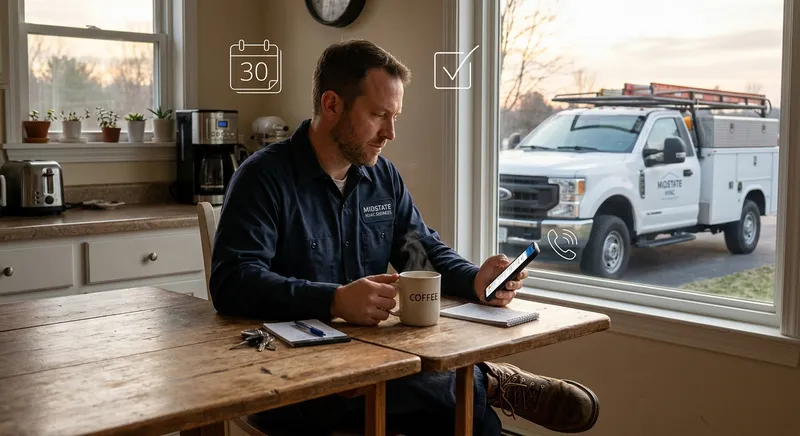
Table of Contents
You signed up for an AI receptionist. The trial is active. Your business line is forwarded. And now you’re wondering: what actually happens?
Most field-service business owners — landscapers, pool techs, pest control operators, gutter cleaners — go into this with a mix of curiosity and skepticism. The AI sounds good in the demo, but will real customers talk to it? Will it capture the right details? Will it sound weird?
After watching hundreds of field-service companies go through their first month with Tinylawn, here’s what actually happens — the wins, the adjustments, and the learning curve — broken down week by week.
Week 1: Setup and first real calls
Day 1: Configuration (15-20 minutes)
Setup is faster than most people expect. You select your industry, and the system pre-loads common services for your trade. A landscaper gets options like lawn mowing, spring cleanup, mulch installation, and hedge trimming. A pest control company gets general pest treatment, termite inspection, rodent control, and wildlife removal. A pool service company gets weekly cleaning, green pool recovery, equipment repair, and pool opening/closing.
From there, you customize:
- Your business name and greeting. The AI uses a natural-sounding name and greets callers with your company name.
- Services you actually offer. Remove ones that don’t apply, add any the template missed.
- FAQs. This is the most important part of setup. Enter answers to the 10-15 questions you hear most often: What’s your service area? How much does [common service] cost? Do you offer free estimates? How quickly can you get out? Do you do [specific thing]? The AI references these during calls to give callers real answers instead of “I’ll have someone call you back.”
- Business hours and scheduling. Tell the system when you work and how you want appointments handled.
- Notification preferences. Choose SMS, email, or both for new lead alerts.
Day 1-2: Test calls
Before forwarding your real number, call the AI yourself. Most people do this 3-5 times. Pretend to be a customer — describe a realistic scenario for your business. Listen to how the AI greets, asks questions, and references your FAQs.
Common reactions during test calls:
- “It sounds more natural than I expected.” The AI doesn’t sound like a robot reading a script. It converses. This surprises most people.
- “It asked a question I didn’t anticipate.” The AI adapts based on what the caller says. If someone mentions an address, it confirms it. If someone describes a problem, it asks follow-up questions.
- “My FAQ answer could be better.” This is the most valuable realization. You’ll rewrite 2-3 FAQ answers after hearing how the AI delivers them. That’s normal and good — it means you’re calibrating.
Day 3-7: First real calls
You forward your business line and the real calls start coming in. Here’s what people typically experience:
The first captured lead feels like magic. You’re on a job site, your phone doesn’t ring, and you get a notification: “New lead — Sarah Johnson, 412 Maple St, needs a spring cleanup, front and back yard, prefers Thursday or Friday.” With photos of the property attached and a full call transcript. You didn’t answer the phone, and you have more detail than you’d get from a 5-minute conversation.
1-2 calls feel like misses. Maybe the AI didn’t catch a specific detail — the caller mentioned they have a fenced backyard and the AI didn’t note it. Or the AI answered a question slightly differently than you would have. These aren’t failures; they’re calibration points. You adjust your FAQs and configuration.
Spam calls get filtered. This is an underappreciated benefit. If you’re used to answering 15 calls a day and 5 of them are robocalls, insurance solicitors, or credit card offers, having those automatically identified and filtered — without counting toward your plan — is immediately noticeable. Your notification feed is actual leads and customer calls, not noise.
You save 1-2 hours of callback time. Because the AI captures detailed information and answers common questions, many calls don’t require a callback at all. The caller’s question was answered, their information is in your dashboard, and you can follow up at your convenience rather than playing phone tag.
Week 2: Calibration
This is where the value compounds. You’ve seen 15-25 real calls flow through the system, and you start noticing patterns.
FAQ refinements
After a week of real calls, you’ll identify 3-5 questions that keep coming up that you didn’t include in your initial FAQ setup. Common additions:
- Pricing ranges. Callers always ask “how much does it cost?” Adding a realistic range to your FAQ (“A standard gutter cleaning for a two-story home typically runs $200-$350 depending on the size and condition”) gives the caller useful information and pre-qualifies them on price.
- Timeline expectations. “How soon can you come out?” Adding your typical scheduling window (“We’re usually able to schedule within 3-5 business days, sooner for emergencies”) sets expectations and reduces follow-up questions.
- Service area boundaries. “Do you service [town]?” If you get this question repeatedly for areas outside your service area, adding that FAQ saves both you and the caller time.
Notification tuning
Some people start with both SMS and email notifications and realize they only check one. Others adjust notification timing — maybe you want instant alerts for leads classified as urgent but a daily digest for routine inquiries. Most people settle into their preferred notification flow by the end of week 2.
The photo upload surprise
The photo upload feature — where the AI texts the caller a link to send photos after the call — generates more engagement than most people expect. Homeowners like taking pictures of their problem. A pest control caller sends photos of the ant trails. A pool service caller sends pictures of the green water. A gutter cleaning caller sends the overflowing gutter and the stained siding.
These photos transform your quoting process. You can estimate many jobs directly from the photos and property data without a separate site visit. For businesses that normally do free estimates in person, this alone saves hours per week in drive time.
Week 3: The workflow shift
By week 3, something changes in how you run your day. The phone is no longer an interruption — it’s a queue you process on your terms.
Morning review
Most operators develop a morning routine: check the dashboard over coffee, review overnight and early-morning leads, prioritize callbacks. Because each lead has a summary, recording, transcript, and photos, you can scan 10 leads in 5 minutes and know exactly which ones need immediate attention.
On-route productivity
The biggest shift is on the job site. You stop checking your phone between every stop. You stop worrying about missed calls. You stop that low-grade stress of knowing there are leads piling up that you can’t get to. The AI is handling the phone while you do the work.
Field-service operators consistently report that this mental load reduction is worth as much as the lead capture. Knowing the phone is covered lets you focus entirely on the job in front of you — which means better work, faster completion, and more jobs per day.
Callback quality
When you do call leads back, the conversations are better. You’ve already reviewed the transcript, the photos, and the property data. You open with specifics: “I saw the photos of your driveway — that staining is typical for concrete that hasn’t been sealed. I can have that cleaned up next week.” The caller feels like you’ve already inspected the property. You sound more professional and more prepared than any competitor who’s just returning a cold missed call.
Week 4: The numbers
By the end of the first month, you have enough data to see the impact. Here’s what typical field-service businesses report:
Calls captured
Most see a 30-50% increase in captured leads compared to the month before. These aren’t new calls — they’re calls that were previously going to voicemail, where the caller hung up and called a competitor. The phone was always ringing this much; you just weren’t catching all of them.
Time saved
5-10 hours per week in reduced callback time and eliminated phone interruptions. The callbacks you do make are shorter because you already have the details. The callbacks you don’t make (because the AI answered the caller’s question) are pure time savings.
Revenue impact
This is harder to quantify precisely because it depends on your close rate and average job size. But the math is straightforward: if you capture 20 additional leads per month that previously went to competitors, and you close 50% at an average of $250, that’s $2,500/month in revenue that wasn’t there before. For many small field-service businesses, that ’s a 10-20% revenue increase from a single operational change.
The calls you didn’t know about
This is the most eye-opening data point. After a month, review your call log and count the calls that came in during hours when you absolutely could not have answered — early morning, on a ladder, under a house, in a crawlspace, driving between jobs. Most operators discover they were missing 40-60% more calls than they realized.
The honest adjustments
Not everything is perfect from day one. Here’s what people commonly adjust:
FAQ answers that need rewriting. The AI delivers your FAQs conversationally, but sometimes the wording you wrote doesn’t sound natural spoken aloud. You’ll rewrite a few to be more conversational. This is a 10-minute fix.
Service list cleanup. The pre-loaded services might include things you don’t offer, or miss niche services that you do. Adding “gutter guard installation” or removing “commercial snow removal” takes 2 minutes.
Expectations for edge cases. The AI handles 90-95% of calls well. The remaining 5-10% are edge cases — a caller with a very unusual request, a heavily accented caller, or someone who asks something completely outside your business scope. These get tagged for your review with full recordings. They’re not failures; they’re the calls that any answering solution — human or AI — would flag for your personal attention.
One month in: the decision
By the end of 30 days, the decision about whether to continue is usually obvious. Either you’ve seen enough captured leads, saved enough time, and closed enough additional revenue to justify the cost — or you haven’t.
For many field-service businesses processing 30+ inbound calls per month, the math works clearly. Plans start at $49/month, and the actual bill depends on your plan and call volume. One or two additional jobs can often cover that cost.
The businesses where it works best share a few traits:
- They receive regular inbound calls (at least 5-10 per week)
- They physically can’t answer the phone during working hours (on ladders, in crawlspaces, operating equipment)
- They have seasonal surges that overwhelm their phone capacity
- They’re growth-oriented and want to capture more of the leads already calling
If that sounds like your business, the first 30 days will tell you everything you need to know. Start with the free trial — no credit card required — and let the real calls show you what you’ve been missing.